Why Your PCIe Link “Slows Down” to Speed Up
Have you ever noticed that a high-speed PCIe device starts at a lower speed before reaching its full capability?That’s not a bug. It’s intentional
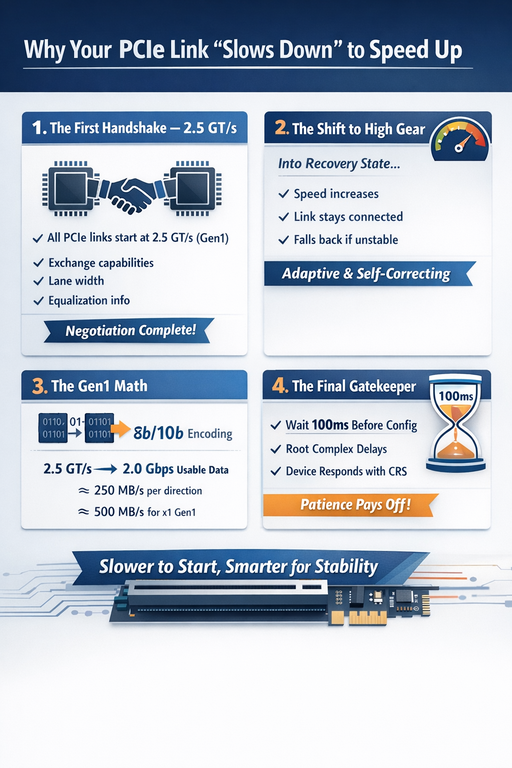
1️⃣ The First Handshake — 2.5 GT/s
Every PCIe link begins training at a baseline speed of 2.5 GT/s (Gen1).
This safe starting point allows the Host and Device to exchange critical information using TS1 and TS2 Ordered Sets, including:
- Supported generations
- Lane width
- Equalization capability
Only after this negotiation can the link move faster.
2️⃣ The Shift to High Gear — Recovery State
Once both sides agree, the link enters Recovery to change speeds.
- The link context is maintained during the transition
- The connection does not drop
- If higher speeds fail due to signal integrity, the link automatically falls back
It’s adaptive and self-correcting by design.
3️⃣ The Math Behind Gen1 Bandwidth
At Gen1, PCIe uses 8b/10b encoding.
For every 8 bits of data, 10 bits are transmitted to maintain signal reliability.
So:
- 2.5 GT/s → 2.0 Gbps usable data
- ≈ 250 MB/s per direction
- ≈ 500 MB/s aggregate for a x1 Gen1 link
This is the “encoding tax” that ensures robustness.
4️⃣ The Final Gatekeeper — Timing
Even after a perfect link comes up, software cannot immediately access the device.
The Root Complex must wait 100 ms (TpvCRL) after Link Training before issuing the first configuration request.
If the device is not ready, it responds with CRS (Retry Status).
If configuration access is still unsuccessful after 1 second (Trhfa) from reset exit, the OS concludes the device is not present.
The Bottom Line
PCIe doesn’t just run fast.
It negotiates, validates, adapts, and protects the system at every step.
Sometimes slowing down first is the smartest way to reach full speed.
By Krishnan
No comments yet. Login to start a new discussion Start a new discussion